Inside the Git
[Inside Git: How It Works and the Role of the .git Folder

How Git works internally
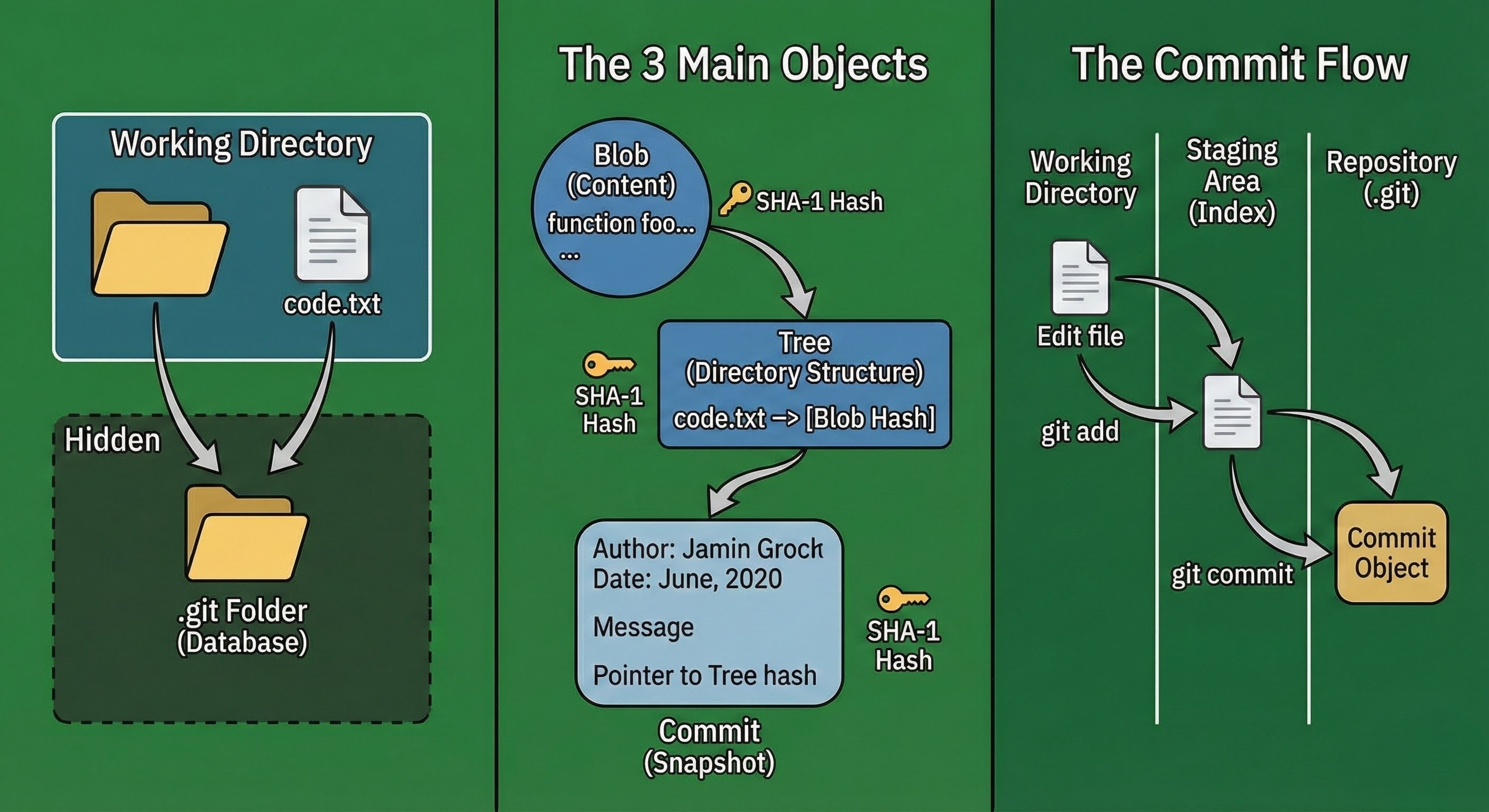
To understand Git, we can think git as a camera that takes snapshot of the projects. You can also think it like a checkpoint of a video game. It work similarly, we can use the git snapshots to easily go back to the older version of the code.
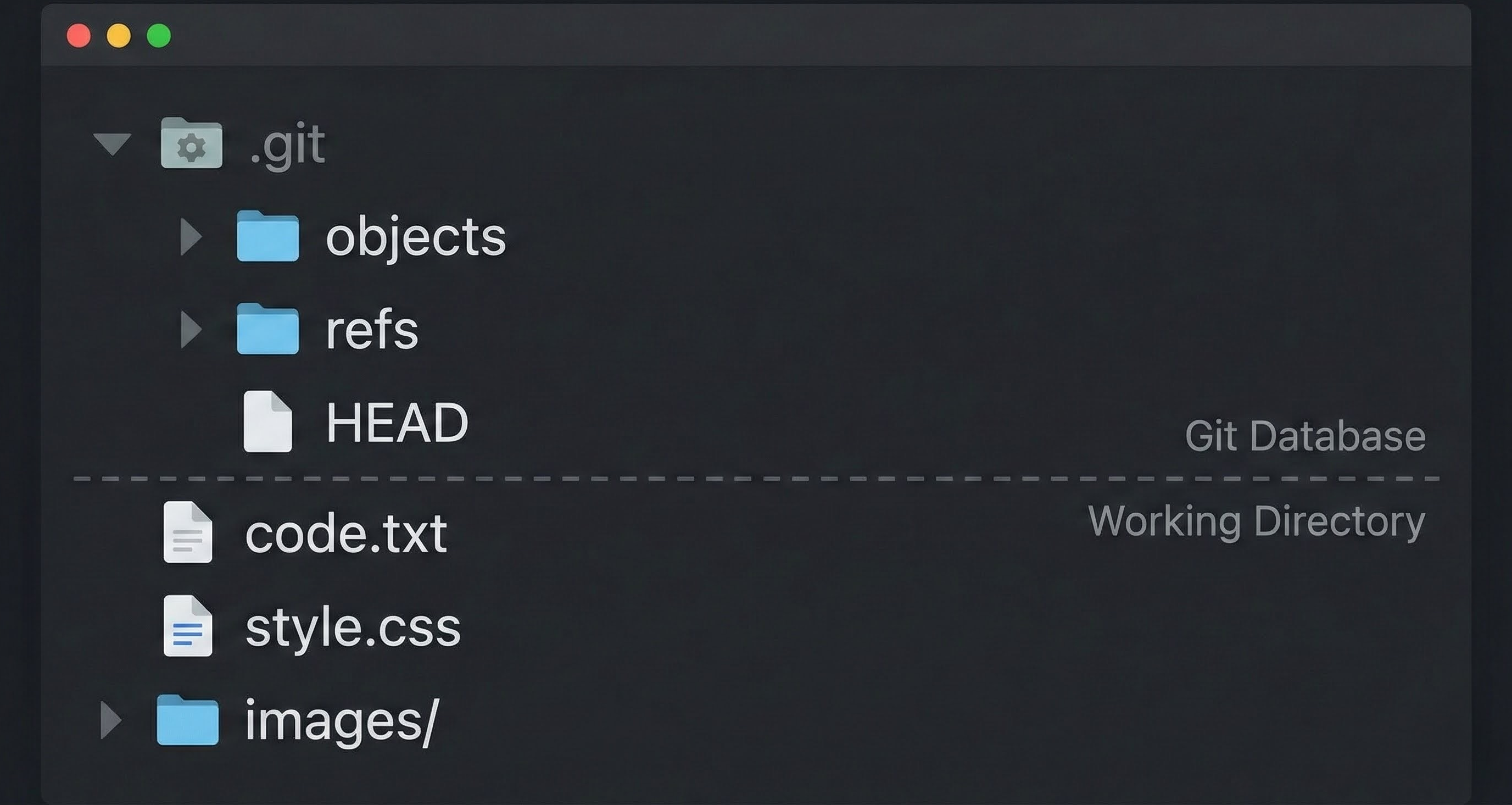
The .git Folder: The Database
When you run git init , Git creates a hidden .git folder. This is the Database, your working directory is just a temporary workspace. The real project history lives in the hidden .Git folder.
The Hash
This is how Git tracks changes. It generates a 40 digits hash code in every file when you run git add. It completely different than how human normally rely on the names and locations to identify. For example you have a file called final_report_v3.docx sitting in a folder 2026_Project. If you want to keep history, you might do a "Save As..." and name the file report_v2.docx, then report_final.docx, then report_final_REAL_v3.docx.
Git doesn’t work this way. This is messy and confusing way to keep track of a file.
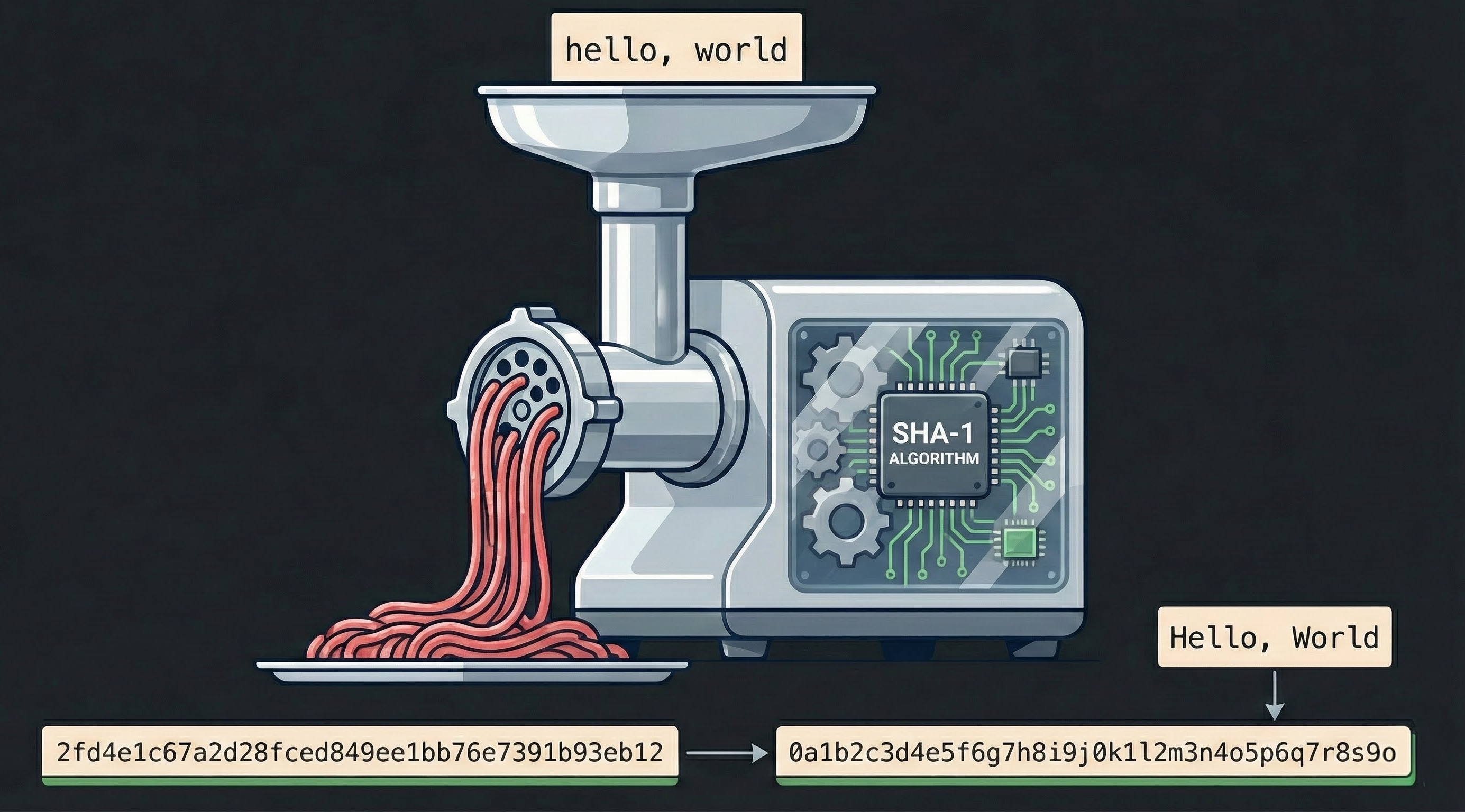
Instead Git uses Hash code SHA-1 (Secure Hash Algorithm 1) to identify the files. Its a cryptographic hash function that creates a unique and fixed 40 digits fingerprint. Think it like a Mathematical meat grinder where you feed any data- it could be a single word or it could be entire of War and Peace. The grinder chews up the data and runs complex mathematical operations on its binary structure, and spits out unique 40 hexadecimal characters (numbers 0-9 and letters a-f). It looks something like this: 2fd4e1c67a2d28fced849ee1bb76e7391b93eb12.
There are two crucial rules to governing this mathematical grinder that makes whole system work.
The Consistency
If you feed same sets of data into the hash algorithm today, tomorrow or one year later on three different computers it will generate exact same 40 digit hash code every single time. This deterministic nature is vital for Git's efficiency: if Git calculates a hash for a file and sees that this hash ID already exists in its database, it knows with absolute certainty that it already possesses that exact content and does not need to store a new copy.
The Avalanche Effect
The second characteristic is vastly important to ensuring the data integrity. The Avalanche Effect simply means that even if you changes a letter or added a comma or make lower case latter ‘a’ to upper case latter ‘A’ or any other changes it will create a new unique 40 digits of hash code.
To human observers ‘hello’ and ‘Hello’ looks 99% identical. But to SHA-1 algorithm, they are fundamentally two distinct input.
Git Objects
We know the Git is database and it uses Hashes as keys to store thing. But what is it actually storing inside the database?
Here comes the Three Musketeers- Git Objects. Inside that .git folder, within a subdirectory conveniently named as objects, Git stores everything in this one of three core objects. This are the Lego bricks that makes up your entire project history.
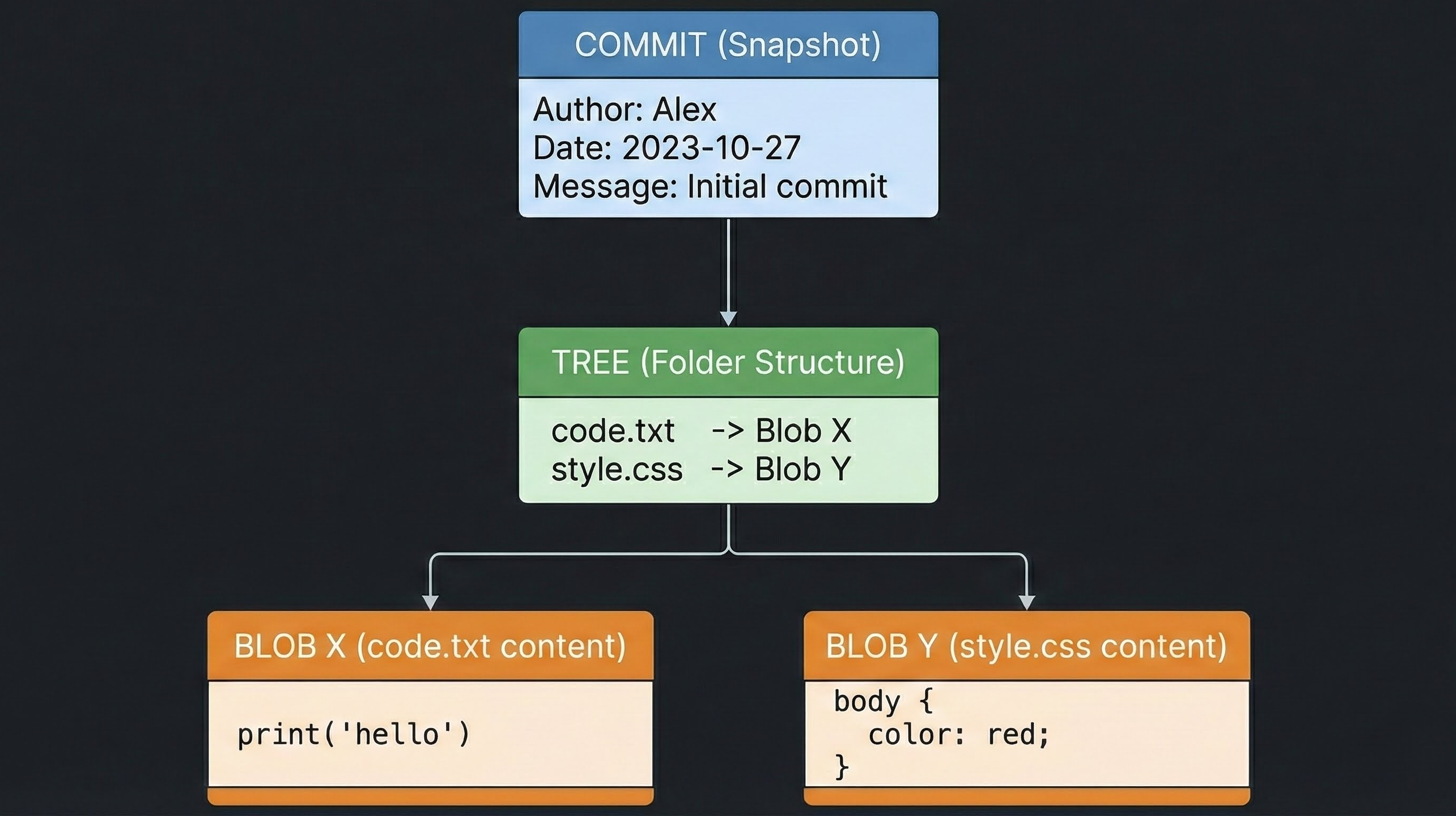
Blob (Binary Large Object): This is the file content. If you have a file
code.txt, Git ignores the filename and store the raw content of the file inside the separate Blobs.Tree: This is the folder structure. A “Tree” connects file names to the Blobs. It tells Git that “File code.txt uses content from Blob X.”
Commit: This is the snapshot I mentioned earlier. It point to the Tree (The state of the project at that moment) and includes metadata like: who did it, when and the message.
This is why Git doesn’t “track changes” in the traditional sense of recording your diffs or keystrokes. Git captures based on content. When you change anything in the file it perceives an entirely new piece of content that it has never encountered before, precisely because the new input data generates an entirely new hash identifier.